Skip to content

System monitor for macOS

See everything your Mac is doing

Tidix goes deeper than Activity Monitor: every core, the GPU and Neural Engine, SMC sensors, disks with SMART, and processes with their energy impact. All in one fast, native app.

  • Native Swift and AppKit, no Electron
  • Native on Apple silicon
  • macOS 13 or later
  • Monitoring data stays on your Mac
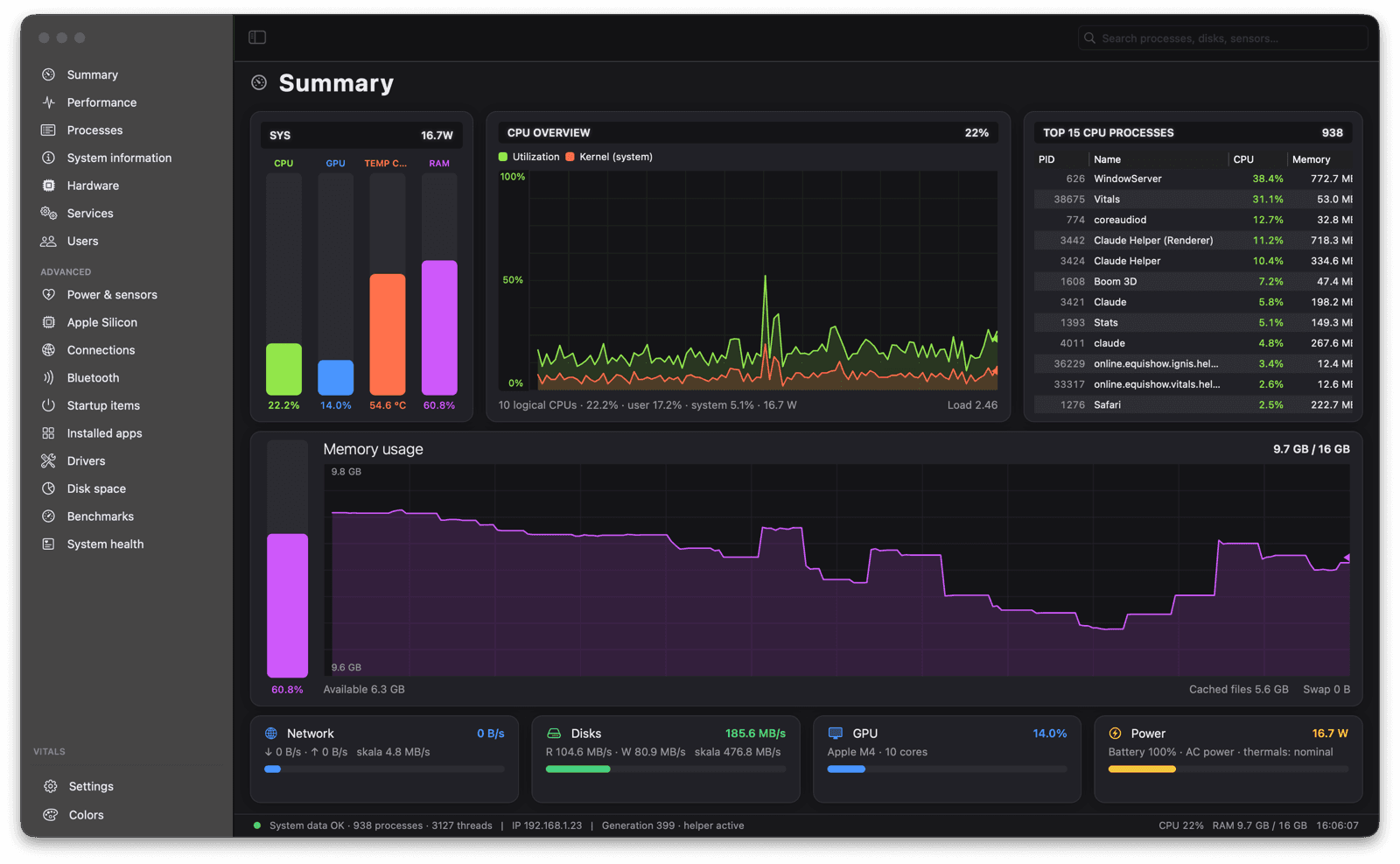
Tidix Summary page with CPU, GPU, temperature, and RAM meters, a CPU overview, the top 15 processes, and a memory graph

Everything Activity Monitor leaves out

Sampling runs in the background and pages refresh only while visible, so Tidix uses a fraction of a core instead of heating one up.

Every core, disk, and network interface on its own

Performance lists each device separately: P and E cores, memory, GPU, Neural Engine, every physical disk (NVMe, USB, SATA, or card reader, with SMART) and every network interface, from Wi-Fi with its SSID to VPN tunnels by profile name.
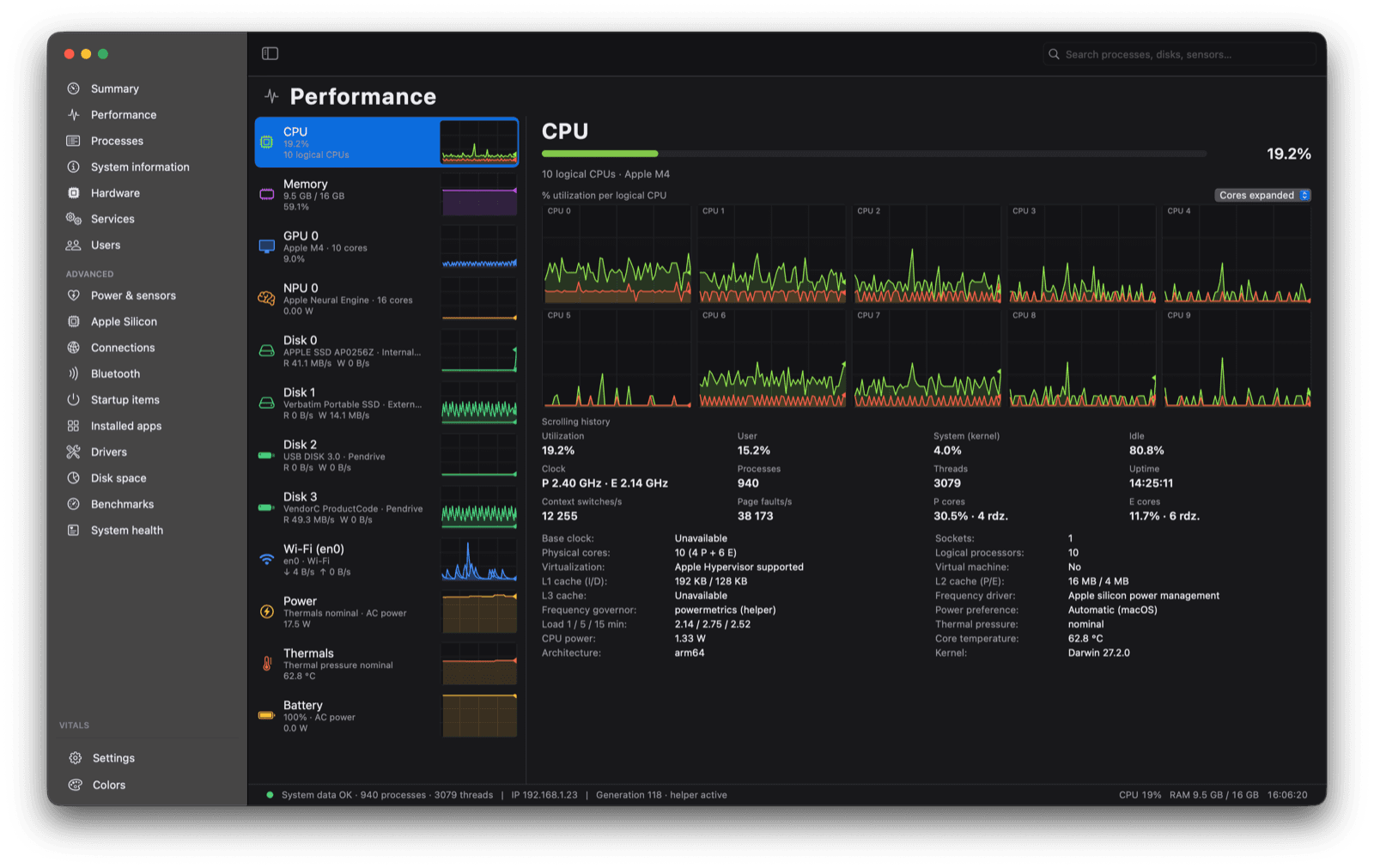
Tidix Performance page with a device list and per-core graphs

Find the process that's draining your Mac

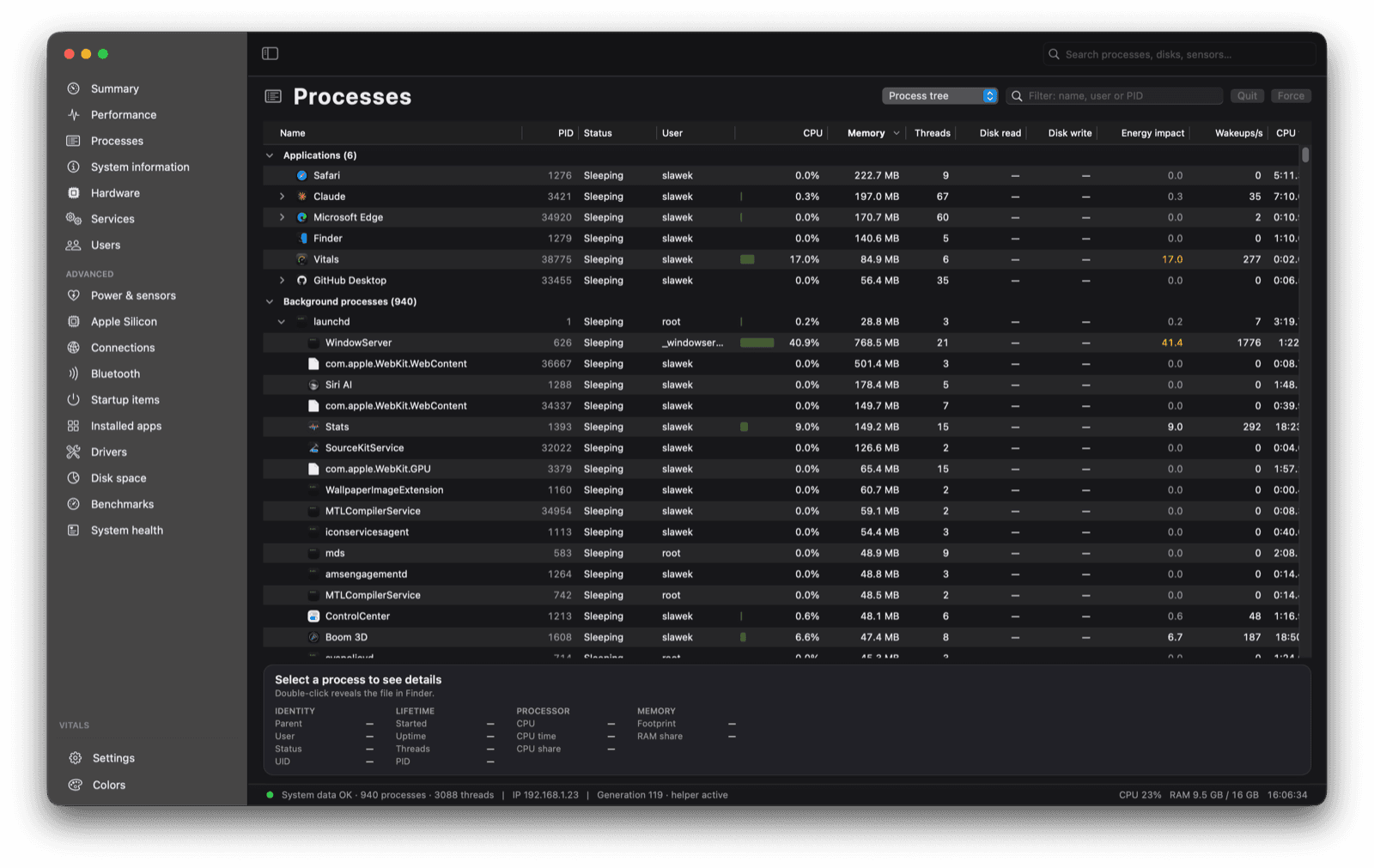
A process tree with app icons and columns for CPU, memory, threads, disk reads and writes, energy impact, and wakeups. Quit a process, send it a signal, change its priority, or sample it. Exited processes stay highlighted for 8 seconds.

Tidix Processes page with a process tree and CPU, memory, and energy columns

Temperatures, fans, and power straight from the SMC

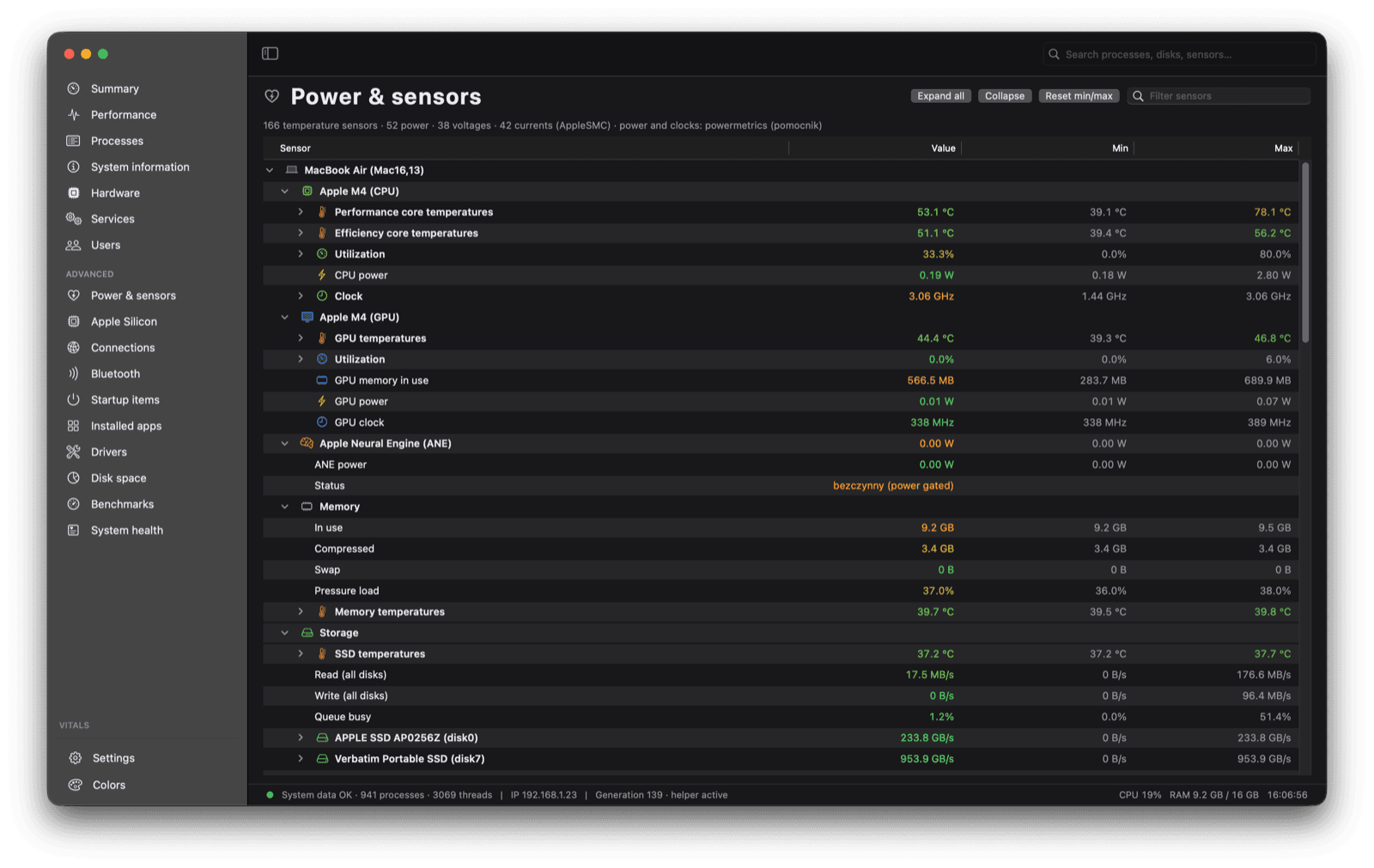
Measured temperatures and fan speeds, confirmed power-rail readings for power, voltage, and current, battery values, and subsystem power, each with its minimum and maximum.

Tidix Power and sensors page with the SMC sensor tree

Made for Apple silicon

P and E clusters with a graph for every core, the GPU (device, renderer, and tiler), the Neural Engine, and the media engine with its list of codecs.

Tidix Apple Silicon page with P and E core clusters and their graphs

See what's filling your disk

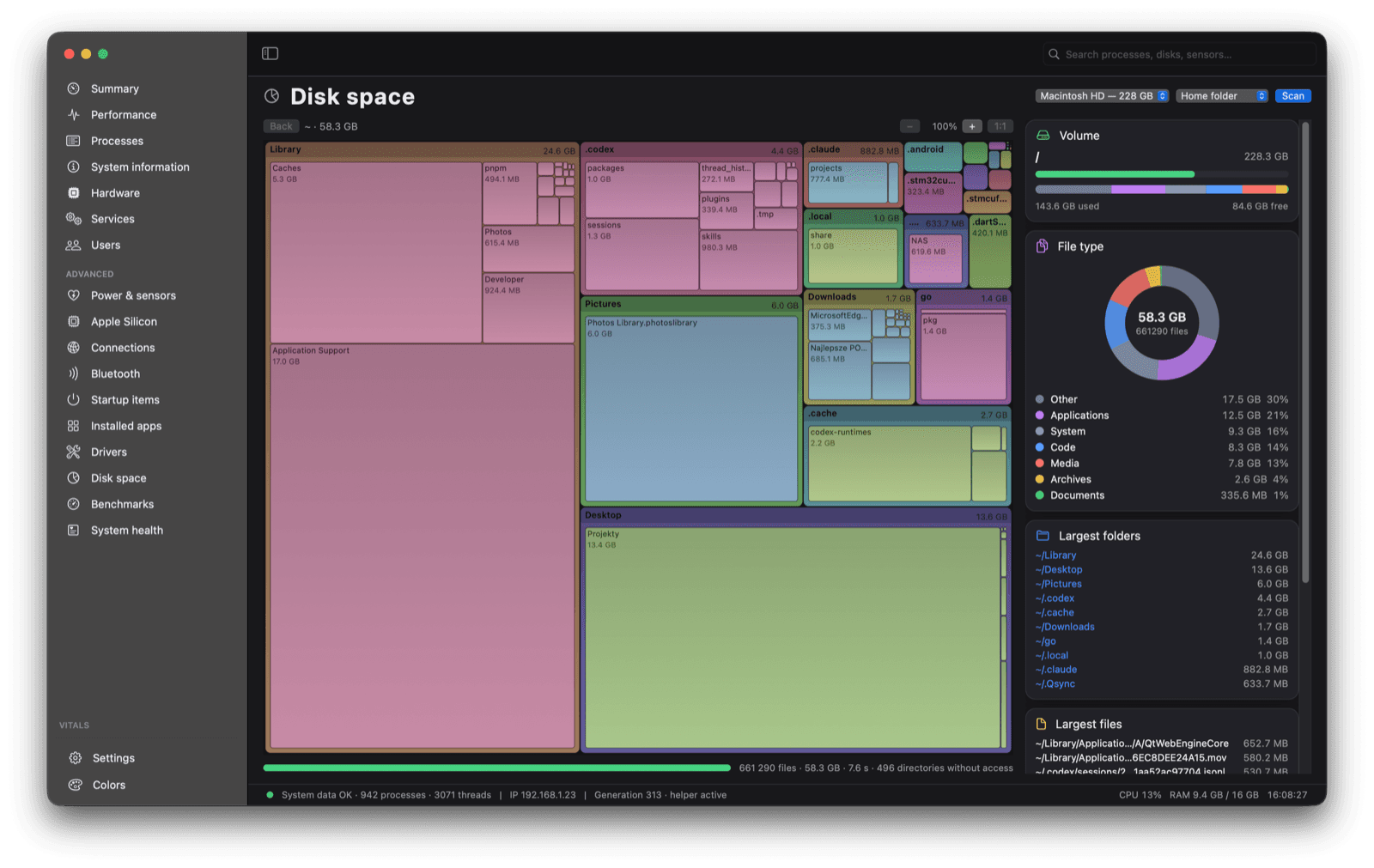
Fast parallel scanning, a treemap you can drill into and zoom, a ring of file categories, and the largest folders and files, which you can move to the Trash from the same window.

Tidix Disk space page with a directory treemap and a file type ring

Catch problems before they bite

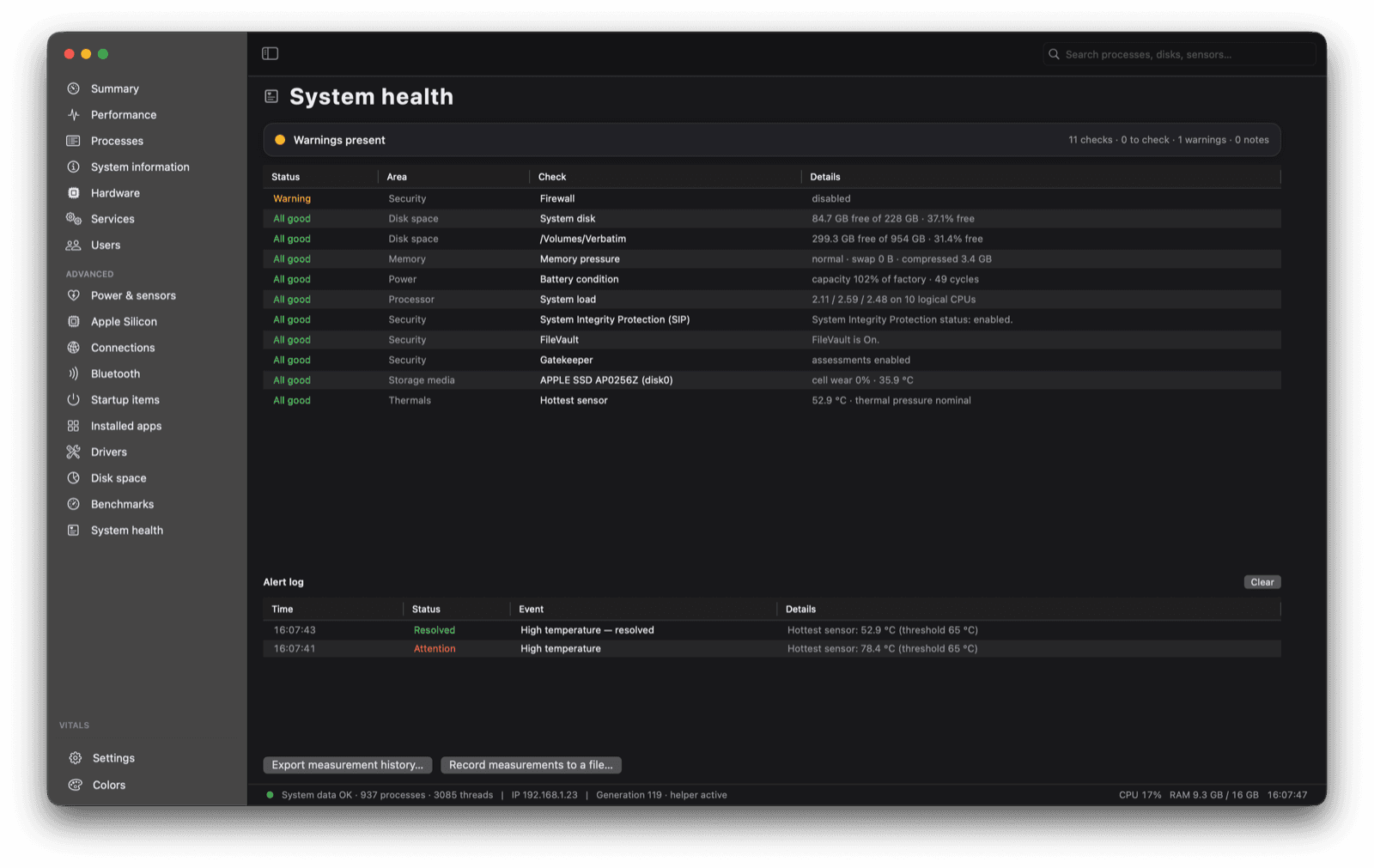
System health checks free space, SMART, battery, thermals, memory, load, zombie processes, and security settings (SIP, FileVault, Gatekeeper, and the firewall), and keeps an event log.

Tidix System health page with a list of checks and an alert log

And there's more

  • Alerts

    Thresholds for temperature, CPU, swap, free space, battery, or a single process, delivered as macOS notifications.

  • Benchmarks

    CPU on one core or all cores, memory bandwidth, sequential disk writes and reads, and Metal GPU compute, with a result history and CSV export.

  • Panels and menu bar

    Floating desktop panels with live graphs, and one menu bar item per metric showing a value, a mini graph, or both.

  • Network connections

    TCP and UDP connections grouped by app and destination, down to individual sockets and local ports.

  • Everything else

    launchd services, users and their processes, Bluetooth devices, startup items, installed apps, drivers, and kernel extensions.

  • Your language, your look

    English, Spanish, French, and German, switchable without a restart. Light, dark, and monochrome phosphor themes.

One license for as many Macs as you use

Pick how many Macs the license covers. Activate it from the app, and free a seat from your account whenever you switch machines.

  • 1 Mac

    For your one and only Mac.

    $19one-time

  • 5 Macs

    Recommended

    For your desk, your laptop, and the rest of the household.

    $39one-time

  • More Macs

    For studios and teams. Choose exactly how many Macs you need.

    $7per Mac, one-time

  • Every feature in Tidix
  • Move a seat to a new Mac whenever you want
  • Keeps working offline for up to 14 days between license checks
  • Lost your key? Sign in with your purchase email to find it

Checkout shows the final price in your currency, including any sales tax or VAT.

Questions

How do device licenses work?

Each license covers a set number of Macs. Activating Tidix on a Mac takes one seat, and activating the same Mac again doesn't take another. When every seat is in use, free one before adding another Mac.

I got a new Mac. How do I move my license?

Deactivate the license in Tidix on the old Mac, or sign in to your account on this site and remove the old Mac there. The seat is free right away, so you can activate the new Mac.

I lost my license key. Now what?

Sign in to your account with the email you bought with. Every license key for that address is listed there, along with the Macs using it.

Does Tidix need to be online?

Tidix checks its license about once a day. If it can't reach the server, it keeps working for up to 14 days after the last successful check. The check sends only the license key, an anonymous device ID, your Mac's name, and the app version. Your monitoring data never leaves your Mac.

What do I need to run Tidix?

macOS 13 or later. Tidix is native on Apple silicon. A few readings, such as other users' processes and energy counters, need the optional privileged helper, which you can turn on in Settings.

Who handles the payment?

Checkout runs on Paddle, which acts as the reseller and merchant of record. Paddle handles payment, sales tax, and your receipt.

Already bought Tidix? Manage your licenses